

The Shark IX141 is a popular cordless vacuum cleaner, praised for its lightweight design, strong suction, and easy handling. But even the best vacuum can lose performance if it’s not maintained correctly. Many users wonder: How often should the Shark IX141 be maintained? Keeping your vacuum in good shape helps it last longer, saves money on repairs, and ensures your home stays clean.
Understanding when and how to perform maintenance is key. Some tasks need to be done after every use, while others can wait weeks or months. Let’s explore the best maintenance schedule for your Shark IX141, break down each step, and answer common questions to help you get the most from your vacuum.
Why Regular Maintenance Matters
A well-maintained Shark IX141 works more efficiently and lasts longer. Dust, hair, and debris can clog filters and brushes, reducing suction power. Ignoring maintenance may lead to overheating, motor damage, or even battery problems. Regular care protects your investment and keeps your floors cleaner.
Basic Maintenance Tasks And Recommended Frequency
Here’s a look at the main maintenance tasks, with how often you should do each:
| Task | Recommended Frequency | Signs Maintenance is Needed |
|---|---|---|
| Empty dust cup | After every use | Visible debris, low suction |
| Clean filters | Monthly | Dusty odor, reduced suction |
| Check brushroll | Weekly | Hair wrapped, noise, poor cleaning |
| Inspect battery | Monthly | Short run time |
| Wipe exterior | Monthly | Visible dirt |
This schedule is a starting point. If you have pets, allergies, or heavy use, increase the frequency.
Step-by-step: Maintaining Your Shark Ix141
1. Empty The Dust Cup
The dust cup should be emptied after every cleaning session. A full dust cup can block airflow and make the vacuum work harder. Simply detach the cup, empty it into the trash, and reattach it securely.
2. Clean Or Replace Filters
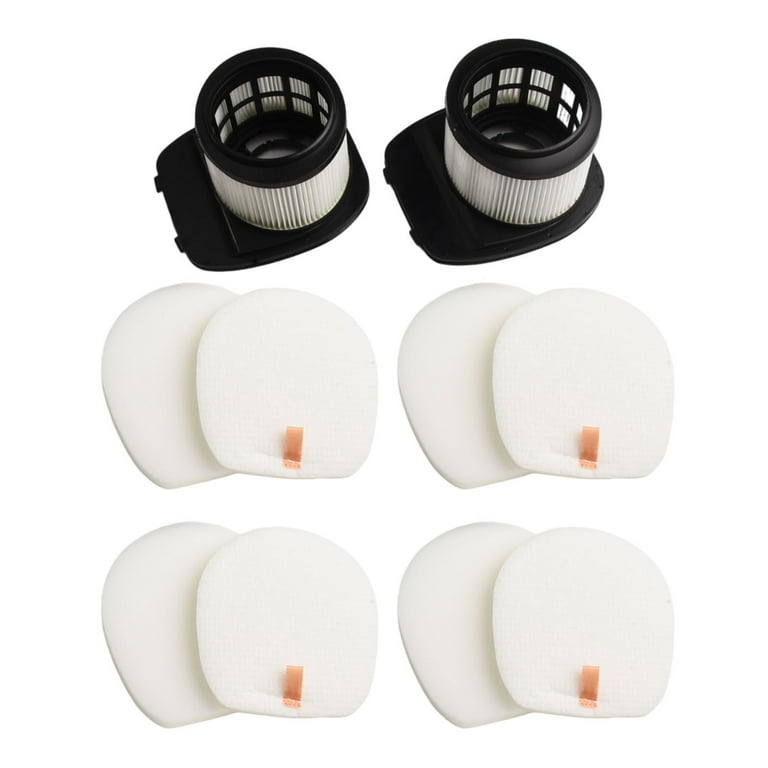
The Shark IX141 has two main filters: a foam filter and a felt filter. These capture dust and allergens. Clean the filters at least once a month:
- Remove both filters from their housing.
- Rinse under cold water until the water runs clear.
- Allow to air dry for at least 24 hours before reinstalling.
- Replace filters every 6–12 months, or as recommended by the manufacturer.
Not cleaning filters is a common mistake that reduces suction and can cause odors.
3. Check And Clean The Brushroll
The brushroll picks up hair, dirt, and debris. Over time, hair can wrap around it and block movement.
- Remove the brushroll cover.
- Cut away hair or threads with scissors.
- Wipe the brushroll with a damp cloth.
- Reinstall and ensure it spins freely.
If the brushroll is damaged or heavily worn, replace it for best performance.
4. Inspect And Maintain The Battery
Cordless vacuums like the IX141 rely on a rechargeable battery. To keep it healthy:
- Avoid storing the vacuum fully depleted.
- Charge the battery after each use.
- Clean battery contacts with a dry cloth monthly.
- If the run time drops, consider replacing the battery.
Storing in a cool, dry place helps extend battery life.
5. Clean The Exterior
Wipe the vacuum’s body, handle, and attachments with a damp cloth every month. This keeps the vacuum looking new and prevents dust buildup in crevices.
6. Maintain Attachments
The Shark IX141 comes with several attachments (crevice tool, dusting brush). Rinse washable parts and wipe others with a dry or damp cloth. Clean attachments every few weeks or after heavy use.
7. Check For Blockages
If you notice low suction or strange noises, check for clogs in the hose, wand, or nozzle. Remove debris carefully to avoid damaging parts.
Comparison: Maintenance Frequency For Shark Ix141 Vs. Other Models
How does the Shark IX141 compare to other cordless vacuums in terms of maintenance needs?
| Model | Dust Cup Cleaning | Filter Cleaning | Brushroll Check |
|---|---|---|---|
| Shark IX141 | Every use | Monthly | Weekly |
| Dyson V8 | Every use | Monthly | Every 2 weeks |
| Bissell ICONpet | Every use | Monthly | Weekly |
The IX141’s schedule is similar to other leading brands, but always refer to your model’s manual for exact instructions.

Signs Your Shark Ix141 Needs Immediate Maintenance
Some problems mean you shouldn’t wait for the regular schedule:
- Burning smell from the motor (may mean a blockage)
- Sudden loss of suction
- Strange noises from the brushroll
- Short battery life after charging
- Visible debris left on the floor
Address these issues right away to prevent bigger problems.
Two Non-obvious Insights For Better Maintenance
- Alternate Attachments to Extend Life: Rotating between different cleaning tools (crevice tool, brush) can reduce wear on each part. This also helps you clean more effectively and avoid overworking a single attachment.
- Track Filter Drying Time: Many users forget to let filters dry fully after washing. Even a little moisture can lead to mold or damage. Use a small kitchen timer or phone reminder to ensure filters dry at least 24 hours before reinstalling.
Common Mistakes To Avoid
- Waiting until the vacuum clogs before emptying the dust cup.
- Washing filters too often (can wear them out) or not at all.
- Using harsh chemicals on parts—stick to water and mild soap.
- Ignoring the battery until it fails completely.
- Not checking for small blockages in the hose or wand.
Maximizing The Lifespan Of Your Shark Ix141
Regular maintenance is the best way to make your Shark IX141 last. But here are extra steps to get even more years from your vacuum:
- Store it indoors, away from extreme heat or cold.
- Charge the battery only with the original charger.
- Replace worn parts with genuine Shark replacements.
- Register your vacuum for warranty support.
- Check the manual for any model-specific tips.
Professional Servicing: When Is It Needed?
You can do most maintenance at home, but sometimes professional help is best. Contact Shark support if you notice:
- Persistent loss of power after cleaning all parts
- Broken or cracked components
- Electrical issues or sparks
Professional servicing can save you from buying a new vacuum too soon.
Where To Find Replacement Parts
Genuine Shark parts are best for replacements. Look for them at:
- Shark’s official website
- Major online retailers
- Authorized local dealers
Avoid third-party parts that may not fit or could void your warranty. For verified parts and manuals, check the official Shark support site.

Quick Maintenance Checklist
Here’s a simple monthly checklist to keep your Shark IX141 running strong:
- Empty dust cup after each use.
- Wash filters and let dry.
- Inspect brushroll and remove hair.
- Check for blockages.
- Clean and dry attachments.
- Wipe down the vacuum exterior.
- Inspect battery and charge fully.
Mark your calendar or set reminders to help build a habit.
Frequently Asked Questions
How Often Should I Clean The Filters On My Shark Ix141?
You should clean the foam and felt filters once a month. Rinse them with water and let them dry for 24 hours. If you have pets or allergies, clean them more often.
What Happens If I Don’t Maintain My Shark Ix141?
Neglecting maintenance leads to reduced suction, motor strain, and possible battery problems. Over time, your vacuum may stop working or require costly repairs.
Can I Wash All Parts Of The Shark Ix141?
You can wash the dust cup, filters, and some attachments with water. Never wash electrical parts or the battery. Check your user manual for safe cleaning instructions.
How Long Does A Shark Ix141 Battery Usually Last?
With proper care, the battery should last 2–3 years. Avoid storing it empty, and always use the official charger.
Where Can I Buy Genuine Shark Ix141 Replacement Parts?
Buy parts from the official Shark website, major retailers, or authorized dealers. Avoid unverified sellers to ensure quality and keep your warranty valid.
Taking care of your Shark IX141 doesn’t need to be hard. By following these simple routines, you’ll enjoy strong cleaning power and a longer life from your vacuum. Regular maintenance is a small investment for better performance and peace of mind.

