

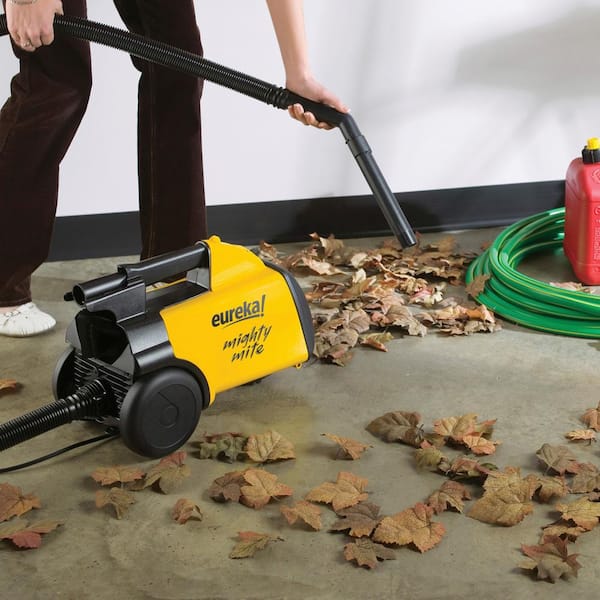
The Eureka Mighty Mite is a popular canister vacuum, known for its light weight and strong cleaning power. But sometimes, owners notice their Eureka Mighty Mite losing suction over time. This can be frustrating, especially when cleaning becomes less effective. Understanding why this happens helps you fix the problem and keep your vacuum working well for years.
Common Reasons For Loss Of Suction
Suction problems in the Eureka Mighty Mite rarely happen without a cause. Most issues come from regular use and are easy to solve at home.
1. Full Or Clogged Dust Bag
The dust bag is the first place to check. When it gets full, air cannot pass through, and suction drops.
- Paper bags should be replaced when two-thirds full.
- Cloth bags need emptying and washing regularly.
Many users forget to check the bag until the vacuum is nearly unusable. Even if the bag looks half full, fine dust can block airflow.
2. Blocked Filters
Most Eureka Mighty Mite models include one or more filters. These trap dust before it reaches the motor or exits the exhaust.
- Pre-motor filter: Protects the motor from dust. Usually a foam piece.
- Exhaust filter: Cleans air before it leaves the vacuum.
Filters get dirty over time. When blocked, they cut air flow and weaken suction. Check your manual to see where filters are located and if they are washable or disposable.
3. Clogged Hose Or Attachments
Dust, hair, and small objects can block the vacuum hose or tools. This is common if you clean up large debris or pet hair.
Signs of a blocked hose:
- Whistling or strange noises
- Very little suction at the end of the wand
- The bag and filters are clean, but suction is still weak
To check, disconnect the hose and look through it toward a light. If you can’t see through, something is stuck inside.
4. Air Leaks
The Eureka Mighty Mite uses sealed connections to keep strong suction. If there are air leaks at the hose, wand, or other joints, suction will drop.
- Check for loose connections.
- Inspect for cracks or splits in the plastic parts.
Sometimes, even a small crack in the hose can make a big difference.
5. Motor Issues
If all else is clean and connected, but suction is still low, the problem may be with the vacuum motor. Motors can lose power after years of use. This is less common but important to consider, especially in older machines.
How To Diagnose The Problem
Finding why your Eureka Mighty Mite is losing suction is a step-by-step process. Here’s how you can figure it out:
- Check the Bag: Replace or empty the bag first. Even if it isn’t full, try a new one.
- Inspect Filters: Take out all filters. If washable, rinse and let dry completely. If disposable, replace.
- Clear the Hose: Remove the hose and look through it. Use a broomstick or flexible brush to push out clogs.
- Examine Attachments: Remove and clean all tools, such as the floor brush or crevice tool.
- Check for Leaks: Reconnect everything tightly. Run your hand along the hose and listen for hissing sounds.
- Test Without Attachments: Run the vacuum with only the main hose attached. If suction is strong, the problem is in the attachment or wand.
- Listen for Motor Problems: If the motor sounds weak, struggles to start, or overheats, it may need service.

Essential Maintenance Tips
Regular care keeps your Eureka Mighty Mite working like new. Here are habits that prevent suction loss:
- Change bags before they are full. Waiting too long can damage the vacuum.
- Clean or replace filters every 1-3 months. More often if you have pets or allergies.
- Check the hose for blockages monthly. Small toys, socks, or even clumps of hair can get stuck.
- Inspect connections for cracks. Replace damaged parts quickly.
- Store the vacuum properly. Don’t wrap the cord too tightly, and keep the hose un-kinked.
Comparing Causes And Solutions
Here’s a side-by-side look at main causes and their easy solutions:
| Cause of Suction Loss | How to Fix |
|---|---|
| Full dust bag | Replace or empty the bag |
| Clogged filter | Clean or replace filter |
| Blocked hose | Remove blockage with a stick or brush |
| Air leaks | Check and fix or replace loose/damaged parts |
| Motor issues | Have a technician inspect or replace the motor |
Practical Troubleshooting Steps
Let’s look at a practical approach you can use at home, even if you don’t have much technical experience.
Step 1: Quick Bag And Filter Check
Open the canister and remove the bag. If it’s dusty or heavy, replace it. Next, take out the filters. If they are gray or packed with dust, clean or change them.
Step 2: Test The Suction
With the bag and filters out, turn on the vacuum for a few seconds (never run too long without filters). If the motor pulls strong, you know the issue is likely bag or filter related.
Step 3: Examine The Hose
Disconnect the hose. Drop a coin or marble in one end. It should roll out the other side easily. If not, use a broomstick to gently push out the clog. Never use water inside the hose.
Step 4: Check All Attachments
Sometimes, the floor brush, crevice tool, or extension wand is blocked. Tap them gently to shake out dust or rinse if washable.
Step 5: Listen And Inspect
Put your hand near all joints and listen for hissing. Air escaping means a leak. Tape can be a short-term fix for small cracks, but replacing the part is better.
Uncommon Causes And Insights
Some reasons for low suction are less obvious but important to know.
1. Micro Dust In Filters
Over time, fine dust not visible to the eye can build up in filters and bags. Even after tapping them clean, they might still block airflow. If your vacuum seems weak even with a “clean” bag or filter, try a fresh replacement.
2. Hose Interior Coating
Sticky spills, sugary liquids, or oily dirt can coat the inside of the hose. This thin layer reduces airflow even if there’s no solid blockage. Sometimes, a mix of baking soda and dry rice can be poured through and shaken to remove this residue.
3. Wand Or Telescopic Tube Misalignment
If you have a model with a telescopic wand, sometimes the tubes don’t align perfectly, causing a small gap. This can leak air and cut suction. Make sure all parts click together tightly.
4. Motor Overheating
A vacuum motor that overheats will lose suction as a safety feature. If your Mighty Mite shuts off or feels very hot, let it cool. Clean all filters and check vents for blockage.
5. Incorrect Bag Or Filter Type
Using non-genuine or wrong-sized bags and filters can block airflow. Always use the correct part number for your model.
Eureka Mighty Mite Models And Suction Issues
Some Mighty Mite versions have small design differences. Here’s a quick comparison of common models and their filter/bag types:
| Model | Bag Type | Filter Type | Unique Issues |
|---|---|---|---|
| 3670G | Paper, Style MM | Foam pre-motor | Short hose, easy to clog |
| 3670H | Paper, Style MM | HEPA exhaust | HEPA filter can clog fast |
| 3670M | Paper, Style MM | Standard exhaust | Attachments sometimes loose fit |
Always check your model number on the label before buying bags or filters.
When To Seek Professional Help
Most suction problems can be fixed at home, but some need a professional. If you notice:
- Burning smells
- Loud rattling or grinding sounds
- The vacuum shuts off quickly after starting
- You have tried all the steps above, but there is still no suction
Then it’s best to contact an authorized Eureka service center. Motors and wiring are not safe to repair at home unless you are trained. For spare parts, use official Eureka dealers or well-rated suppliers.

Preventing Future Suction Problems
Keeping your Eureka Mighty Mite working well is easier than fixing it after problems start. Here are tips for long-term care:
- Replace bags and filters on a schedule. Set a reminder every three months.
- Vacuum up large debris with care. Pick up coins, paper clips, or string by hand. These damage bags and block hoses.
- Store the vacuum in a dry place. Moisture can weaken parts and cause mold in filters.
- Use genuine parts. Cheap replacements may not fit tightly and can cause leaks.
- Regularly inspect for wear. Hoses, wands, and tools wear out. Replacing them is cheaper than repairing the vacuum later.
How Suction Loss Affects Cleaning
A vacuum with low suction doesn’t just clean less—it can leave dirt behind that you don’t see. Studies show that floors vacuumed with weak machines have up to 80% more fine dust left in carpets. This dust can cause allergies and make your home smell musty. Pet hair, crumbs, and sand are also harder to remove.
If you notice your Mighty Mite takes longer to clean or leaves behind visible debris, it’s time to check for suction loss.
Comparing To Other Vacuums
How does the Eureka Mighty Mite compare to other canister vacuums when it comes to suction problems?
| Vacuum Brand | Common Suction Issues | Ease of Fixing |
|---|---|---|
| Eureka Mighty Mite | Bag/filter blockage, hose clogs, leaks | Easy, most issues are user-fixable |
| Hoover PortaPower | Clogged hose, motor overheating | Moderate, hose harder to clean |
| Kenmore 600 Series | Bag full, filter clogs, motor loss | Easy to moderate, more filters |
The Eureka Mighty Mite stands out because most suction issues are fast and cheap to repair at home.
Frequently Asked Questions
Why Does My Eureka Mighty Mite Vacuum Sound Louder Than Usual?
A louder vacuum often means airflow is blocked. When the bag, filter, or hose is clogged, the motor works harder, which makes more noise. Check all parts for blockages and clean or replace as needed.
Can I Wash The Filters In My Eureka Mighty Mite?
Many models use washable foam filters. Remove and rinse them under cold water, then let them dry fully before replacing. Some models use paper or HEPA filters, which must be replaced instead of washed. Check your manual for details.
How Often Should I Change The Bag In My Eureka Mighty Mite?
Change the dust bag when it is about two-thirds full, or sooner if suction drops. If you vacuum up a lot of dust or pet hair, you may need to replace it every few weeks.
What Should I Do If The Hose Is Completely Blocked?
If the hose is blocked, detach it from the vacuum. Gently push a broomstick through to clear the clog. Do not use water or sharp objects, as these can damage the hose.
Where Can I Find Replacement Parts For My Eureka Mighty Mite?
You can buy replacement bags, filters, and hoses from official retailers, hardware stores, or online. Always match the part number to your vacuum model. For safe shopping, check out the official manufacturer’s website or visit Eureka’s official site.
A well-maintained Eureka Mighty Mite should last many years. By understanding and fixing common suction problems, you keep your home cleaner and save money on repairs. Regular care and using the right parts make all the difference.

