

If you own a robotic pool vacuum, you know how convenient it is to keep your pool sparkling clean without lifting a finger. But did you know that cleaning the filter regularly is key to making sure your vacuum works at its best?
If the filter gets clogged, your vacuum can’t do its job properly, and your pool won’t stay as clean as you want. You’ll learn simple, step-by-step tips to clean the filter quickly and easily. Keep reading to discover how a little maintenance can save you time, money, and frustration while keeping your pool crystal clear all season long.
Tools Needed
Cleaning the filter in a robotic pool vacuum is simple with the right tools. These tools help keep the filter clear of dirt and debris. This makes the vacuum work better and last longer.
Having the right equipment saves time and effort. Gather these items before starting your cleaning process.
Soft Brush
A soft brush removes dirt without damaging the filter. It cleans between the filter fibers gently. Avoid hard brushes that can tear the filter.
Garden Hose Or Water Source
A garden hose or water source rinses the filter thoroughly. Water pressure washes away stuck particles. Use clean water to avoid adding dirt.
Gloves
Gloves protect your hands from dirt and sharp edges. They keep your hands clean and safe. Choose waterproof gloves for best results.
Towel Or Cloth
A towel or cloth dries the filter after rinsing. It helps remove excess water quickly. Use a clean, dry cloth to avoid new dirt.
Bucket (optional)
A bucket holds water if you cannot use a hose. It allows soaking the filter for easier cleaning. Fill with clean water for best effect.
Locating The Filter
Finding the filter in your robotic pool vacuum is the first step to cleaning it properly. The filter traps dirt, leaves, and small debris from your pool water. Knowing exactly where it is helps you maintain the vacuum’s performance. Most robotic pool vacuums have filters in easy-to-access spots.
Filters usually sit inside a compartment. This compartment often opens without needing tools. Some models place the filter on the top, while others keep it at the back or bottom. Checking your vacuum’s manual can guide you, but many filters look similar across brands.
Check The Top Cover
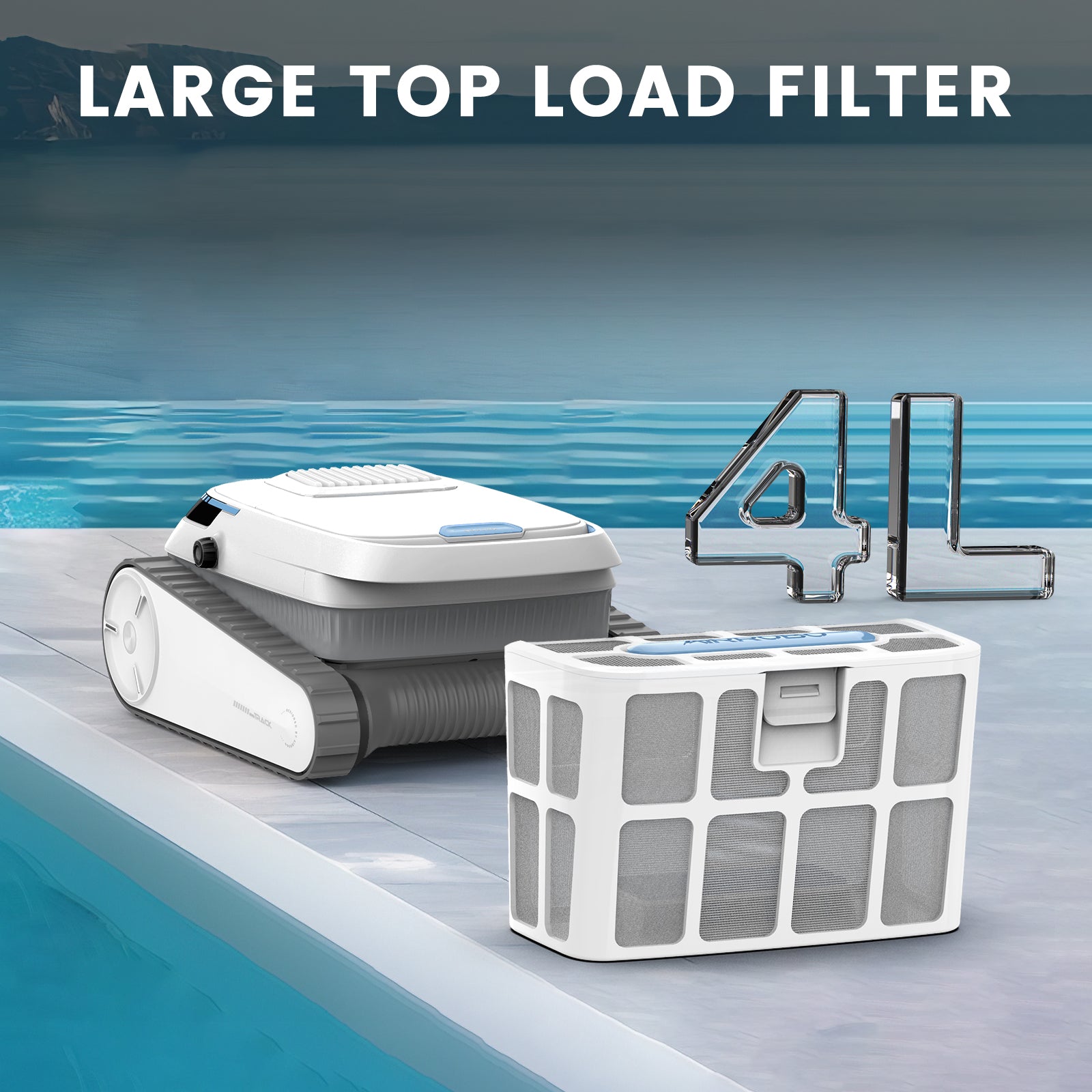
Many robotic pool vacuums have a top lid covering the filter. Open this lid carefully. You might find a handle or latch to lift the cover. The filter often sits right under this lid. It may look like a mesh bag or a plastic grid.
Look At The Back Panel
Some models hide the filter behind a back panel. This panel might snap off or slide open. Look for tabs or buttons near the vacuum’s rear. The filter inside usually slides out for easy cleaning. This design keeps the filter secure during cleaning cycles.
Inspect The Bottom Area
Filters can also be at the vacuum’s bottom. Turn the device upside down gently. Check for a compartment or removable part. This area often holds the filter basket. It collects larger debris and is simple to remove and rinse.
Removing The Filter
Removing the filter is the first step in cleaning your robotic pool vacuum. This task keeps your vacuum working well and your pool clean. The process is simple and takes only a few minutes. Follow these steps to remove the filter safely and easily.
Turn Off And Unplug The Vacuum
Always turn off the vacuum before removing the filter. Unplug the device to avoid any accidents. Safety comes first to protect both you and the vacuum.
Open The Filter Compartment
Locate the filter compartment on your vacuum. Usually, it is on the top or side. Press the latch or button to open it carefully. Avoid using force to prevent damage.
Take Out The Filter
Gently pull the filter out of the compartment. Hold it firmly so it does not drop or break. Check for any clips or locks that may hold the filter in place. Remove them if needed.

Cleaning Methods
Cleaning the filter in a robotic pool vacuum keeps the machine working well. Dirt and debris can build up quickly. Regular cleaning helps maintain strong suction and clear water. There are simple methods to clean the filter effectively.
Rinsing With Water
Start by removing the filter from the vacuum. Use a garden hose or tap water to rinse off loose dirt. Hold the filter under steady water flow. Make sure to clean all sides thoroughly. This method removes most common debris and dust.
Using Cleaning Solutions
For stubborn grime, soak the filter in a mild cleaning solution. Mix water with a small amount of gentle detergent. Let the filter soak for 15 to 30 minutes. Rinse well after soaking to remove all soap. This step helps break down oils and tough dirt.
Brushing The Filter
Use a soft brush to scrub the filter gently. Focus on corners and crevices where dirt hides. Avoid harsh brushes that can damage the filter material. Brushing loosens trapped debris for easier rinsing. Repeat rinsing after brushing for best results.
Drying The Filter
Drying the filter is a key step after cleaning your robotic pool vacuum. A dry filter works better and lasts longer. Moisture can cause mold and bad smells. It also clogs the filter faster. Taking time to dry the filter well keeps your pool vacuum running smoothly.
Proper drying stops dirt from sticking to the filter. It helps keep the water clean. A dry filter also prevents damage to the vacuum’s motor. This small effort saves you time and money on repairs later.
Choose A Clean, Dry Spot
Find a place with good air flow. Avoid humid or damp areas. A sunny spot is perfect, but not in direct sunlight for long. Sunlight can damage the filter material. A shaded, airy place works best.
Remove Excess Water
Shake the filter gently to get rid of water drops. Pat it dry with a clean towel if needed. Do not rub too hard. The filter material can tear easily. Removing water fast helps speed up drying.
Allow Enough Time To Dry
Leave the filter out for several hours. Overnight drying is ideal. Check if the filter feels completely dry before reinstalling. Using a damp filter may cause problems in your pool vacuum.
Use A Fan For Faster Drying
A small fan helps dry the filter quickly. Set the filter near the fan but not too close. Avoid heat sources like heaters or dryers. Air circulation is enough to remove moisture safely.

Reinstalling The Filter
Reinstalling the filter is a key step after cleaning your robotic pool vacuum. It ensures the vacuum works well and keeps your pool clean. Follow these simple steps to put the filter back correctly.
Check The Filter For Damage
Before reinstalling, inspect the filter carefully. Look for tears or cracks that can reduce its performance. Replace the filter if you find any damage. A good filter keeps dirt and debris from clogging the vacuum.
Place The Filter In The Right Position
Align the filter with the vacuum’s slot. Most filters fit only one way. Do not force the filter into place. Gently slide it in until it fits snugly. Proper placement helps the vacuum run smoothly.
Secure The Filter Cover
Close the filter cover firmly. Lock any clips or latches to hold the filter in place. A loose cover lets debris escape and lowers cleaning power. Make sure the cover snaps tightly shut.
Test The Vacuum After Reinstalling
Turn on the vacuum to check the filter setup. Listen for unusual sounds or leaks. If the vacuum works quietly, the filter is installed right. A quick test saves time and avoids problems later.
Maintenance Tips
Proper maintenance keeps your robotic pool vacuum working well and lasting longer. Cleaning the filter regularly is key. Simple tips help you avoid damage and poor performance. Follow these easy steps to maintain your vacuum’s filter efficiently.
Cleaning Frequency
Check the filter after every use. Clean it if you see dirt or debris. For heavy pool use, clean the filter twice a week. Light use means cleaning once a week is enough. A clean filter keeps water flowing smoothly.
Storage Advice
Store the vacuum in a dry, cool place. Remove the filter before storing. Rinse it with fresh water and let it dry completely. Avoid leaving the filter in direct sunlight. Proper storage prevents damage and mold growth.
Troubleshooting Common Issues
If the vacuum loses suction, check the filter first. A clogged filter blocks water flow. Clean or replace the filter if needed. If the vacuum stops working, inspect the filter for tears. Replace damaged filters to keep your vacuum running well.
Frequently Asked Questions
How Often Should I Clean My Robotic Pool Vacuum Filter?
Clean your robotic pool vacuum filter after every 3-4 uses. Frequent cleaning ensures optimal performance and prevents clogging. Regular maintenance extends the vacuum’s lifespan and keeps your pool water clean and clear.
What Tools Do I Need To Clean The Filter Properly?
You only need a garden hose and a soft brush to clean the filter. Avoid harsh chemicals or abrasive tools that could damage the filter mesh. Gentle rinsing and brushing remove debris effectively.
Can I Use Tap Water To Rinse The Filter?
Yes, tap water works well to rinse the filter. Use moderate water pressure to avoid damaging the filter material. Make sure to remove all dirt and debris for best results.
How Do I Remove The Filter From The Robotic Vacuum?
Refer to your vacuum’s manual to locate and unlock the filter compartment. Typically, it involves pressing a latch or twisting the cover. Handle the filter carefully to avoid tears or damage.
Conclusion
Cleaning the filter keeps your robotic pool vacuum working well. It stops dirt from building up and blocks from forming. Regular cleaning saves time and money on repairs. Just remove the filter, rinse it gently, and let it dry. Doing this often helps your pool stay clean and clear.
Easy steps, big results. Keep your vacuum in good shape for longer use. Simple care makes a big difference.

