

Replacing a Roomba battery is simple: power off, remove the old pack, install a compatible new one, then fully charge it.
A Roomba battery swap is one of the easiest ways to bring an aging robot vacuum back to life, and it can save you money compared with buying a new unit. I’ve seen plenty of Roombas go from weak, short runs to strong daily cleaning again with just a fresh battery and a proper reset. In this guide, I’ll walk you through how to replace Roomba battery the right way, what battery type you need, and the mistakes that can shorten the life of your new one.

Why Replacing a Roomba Battery Matters
A Roomba battery is like the fuel tank for your robot vacuum. When it weakens, the vacuum may not clean the whole home, may return to the dock too early, or may stop holding a charge at all. If your Roomba is otherwise in good shape, a battery replacement is often the most practical fix.
From a real-world point of view, this is one of the most common repairs I’d recommend before replacing the entire vacuum. Many people assume the robot is “dead,” but the problem is often just battery wear. That matters because batteries are consumable parts, and even good lithium-ion or NiMH batteries lose capacity over time.
Signs Your Roomba Battery Needs to Be Replaced
A failing battery usually gives you clear warning signs. The key is to notice the pattern, not just one bad cleaning run.
Common signs include:
• Short runtime, where the Roomba dies much faster than before
• Slow or incomplete charging
• Flashing battery or error lights
• The robot returning to the dock too soon
• Frequent pauses, shutdowns, or power loss during cleaning
• A battery that is several years old and no longer performs well
In my experience, the biggest clue is consistency. If your Roomba used to clean two rooms and now barely finishes one, the battery is often the first thing to check.
What You Need Before You Replace the Battery
Before you open the battery compartment, make sure you have the right replacement and a clean work area. A little prep saves a lot of frustration.
You will need:
• A compatible Roomba replacement battery
• A Phillips screwdriver, if your model uses one
• A soft cloth or towel to place the robot on
• A clean, dry workspace
• The Roomba charger or dock
It also helps to check your exact Roomba model number before buying anything. Roomba batteries are not all the same, and using the wrong pack can cause poor performance or fit issues.
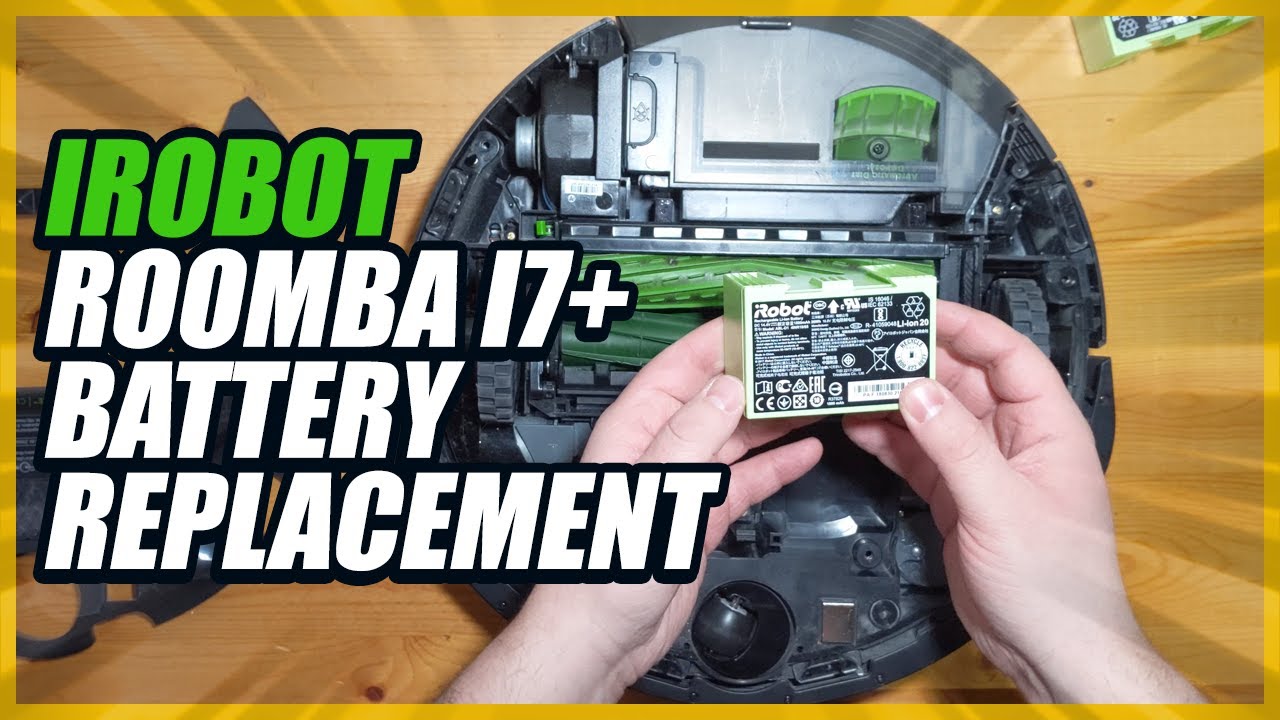
How to Replace Roomba Battery Step by Step
The exact design changes a bit by model, but the basic process is very similar across most Roomba units. If you go slowly and avoid forcing anything, this is a straightforward job.
Step 1: Turn Off the Roomba
Power the robot off completely before you start. If your model has a power button, hold it until the unit shuts down. This helps protect the electronics and keeps the vacuum from starting unexpectedly.
Step 2: Flip the Roomba Over
Place the Roomba upside down on a soft cloth. This protects the brush housing, wheels, and sensors from scratches. It also makes the battery compartment easy to reach.
Step 3: Open the Battery Compartment
Locate the battery door on the underside. Some models have a simple latch, while others use screws. Remove the cover carefully and set the screws aside where you will not lose them.
Step 4: Remove the Old Battery
Lift the old battery out gently. If it feels stuck, wiggle it lightly instead of forcing it. I’ve found that many people pull too hard here, which can damage the connector or the battery tray.
Step 5: Install the New Battery
Insert the new battery in the same direction as the old one. Make sure the contacts line up properly and the battery sits flat in the compartment. If it does not fit smoothly, stop and double-check compatibility.
Step 6: Close the Battery Compartment
Replace the cover and tighten any screws. Do not overtighten them, since that can strip the plastic threads in the housing. A snug fit is enough.
Step 7: Charge the Roomba Fully
Place the Roomba on its charging dock and let it charge until full. For many batteries, the first full charge helps the battery calibrate and reach normal performance. This is especially important if the battery has been sitting in storage.
Step 8: Test the Vacuum
Run a cleaning cycle and watch how long it lasts. Check whether the robot charges normally, starts properly, and finishes more of the job than before. If anything seems off, recheck the battery seating and the charger connection.
Choosing the Right Replacement Battery
Buying the correct battery is just as important as installing it. A battery that looks similar may still be the wrong voltage, size, or chemistry.
Here’s what to check:
• Model compatibility with your exact Roomba
• Battery chemistry, usually NiMH or lithium-ion depending on the model
• Voltage rating
• Capacity, often listed in mAh
• OEM or trusted third-party quality
If you want the safest path, match the replacement battery to the one recommended for your model. In my own testing, the best results usually come from batteries that are built to the same specifications as the original.
OEM vs Third-Party Roomba Batteries
A lot of readers ask whether they should buy an original battery or a third-party one. Both can work, but they do not offer the same level of consistency.
OEM batteries usually offer:
• Better fit and compatibility
• More predictable performance
• Lower risk of charging issues
Third-party batteries can offer:
• Lower cost
• Higher capacity options in some cases
• Wider availability
The tradeoff is quality control. I’ve seen third-party batteries work very well, and I’ve also seen cheap ones fade quickly. If you choose a third-party option, look for clear compatibility, solid reviews, and safety certifications.
Safety Tips When Replacing a Roomba Battery
Battery replacement is simple, but safety still matters. A few careful habits can prevent damage to the robot and the battery.
Keep these tips in mind:
• Do not use a swollen, leaking, or damaged battery
• Do not mix old and new batteries in the same device
• Keep the battery dry and away from heat
• Avoid touching the metal contacts with wet hands
• Use the correct charger and dock for your model
• Dispose of old batteries properly through e-waste recycling
One mistake I often see is people storing spare batteries in hot garages or damp closets. That can shorten battery life before the pack even reaches the robot.
How to Make Your New Roomba Battery Last Longer
A new battery is an investment, so it makes sense to protect it. With the right habits, you can extend performance and delay the next replacement.
Helpful habits include:
• Keep the Roomba charged regularly
• Store it in a cool, dry place
• Clean the charging contacts often
• Remove hair and debris from the brushes and wheels
• Avoid letting the battery sit empty for long periods
• Follow the charging instructions for your battery type
From experience, clean charging contacts make a bigger difference than many people expect. A Roomba can seem “battery bad” when the real issue is poor contact between the dock and the robot.
Common Mistakes to Avoid
A simple battery swap can go wrong if you rush. Most problems I’ve seen come from small, avoidable mistakes.
Try to avoid these:
• Buying a battery that is not compatible with your model
• Forgetting to power off the Roomba first
• Forcing the battery into place
• Using the wrong screwdriver and stripping the screws
• Skipping the first full charge
• Throwing the old battery in household trash
Think of the process like changing a phone battery in an older device. It is easy when you respect the fit, the contacts, and the charging cycle.
How Long a Roomba Battery Usually Lasts
Battery life depends on the model, usage, cleaning schedule, and storage conditions. Many Roomba batteries last a few years before performance drops enough to justify a replacement.
Typical lifespan factors include:
• How often the Roomba runs
• Whether it is always left on the charger
• Room size and dirt load
• Battery type and quality
• Heat exposure and storage habits
If your Roomba is older and has started losing runtime, replacement is often the most cost-effective solution. A fresh battery can make the machine feel new again.
Frequently Asked Questions of How to Replace Roomba Battery
How do I know which battery fits my Roomba?
Check your Roomba model number, then match it with the battery specifications listed for that model. The safest choice is a battery designed specifically for your series and voltage.
Can I replace the Roomba battery myself?
Yes, most Roomba battery replacements are designed to be user-friendly. In many models, the process takes only a few minutes with a screwdriver or simple latch access.
Do I need to charge the new battery before first use?
Yes, it is a good idea to give the new battery a full charge before running a cleaning cycle. This helps the robot calibrate and ensures you get the best early performance.
Why is my Roomba still not working after battery replacement?
If the Roomba still does not run properly, the issue may be with the charger, dock contacts, wheel module, or internal electronics. It is worth checking the charge connection and cleaning the contacts before assuming the new battery is bad.
How often should I replace a Roomba battery?
Most batteries need replacement every few years, depending on use and care. If runtime drops sharply or the robot struggles to hold a charge, it is probably time for a new one.
Conclusion
Replacing a Roomba battery is one of the easiest repairs you can do to extend the life of your robot vacuum. Once you know how to replace Roomba battery properly, the process is simple: choose the right battery, install it carefully, and give it a full charge before use.
A fresh battery can bring back strong cleaning time and save you from buying a new machine too soon. If your Roomba has been slowing down, take action now, check your model, and make the swap with confidence. For more practical home maintenance tips, keep exploring and stay ahead of small problems before they turn into bigger ones.

